Email and files.
On your server.
Business email, files, calendars, chat and video calls in one system. Work in a browser, the Windows desktop app or the Android app.
Less switching.
More teamwork.
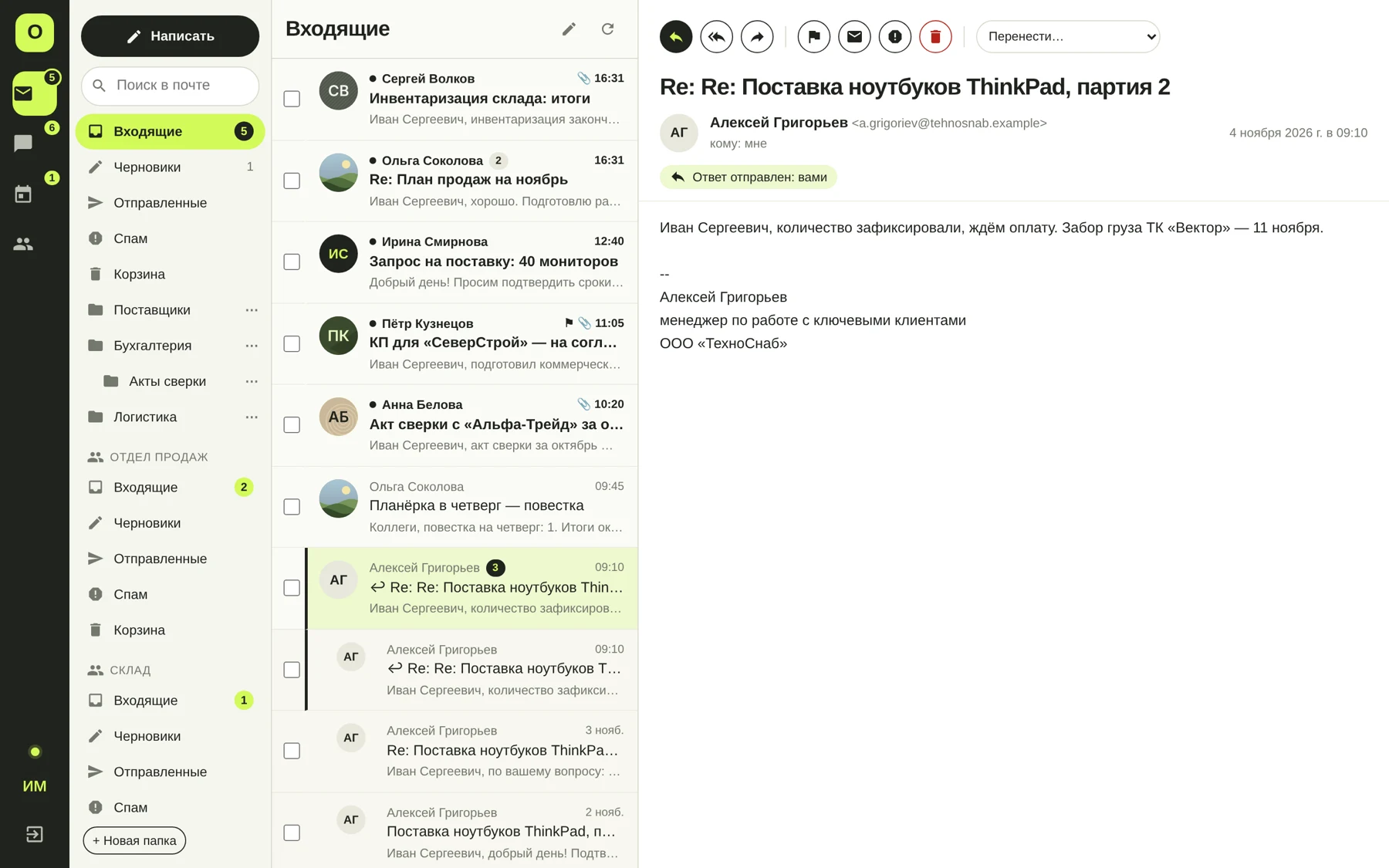
Customer emails, team discussions and meetings come together in one system.
Discuss. Clarify. Resolve.
Direct messages, groups and channels. Threads, files, reactions and read receipts keep work conversations in context.
Make time for your team.
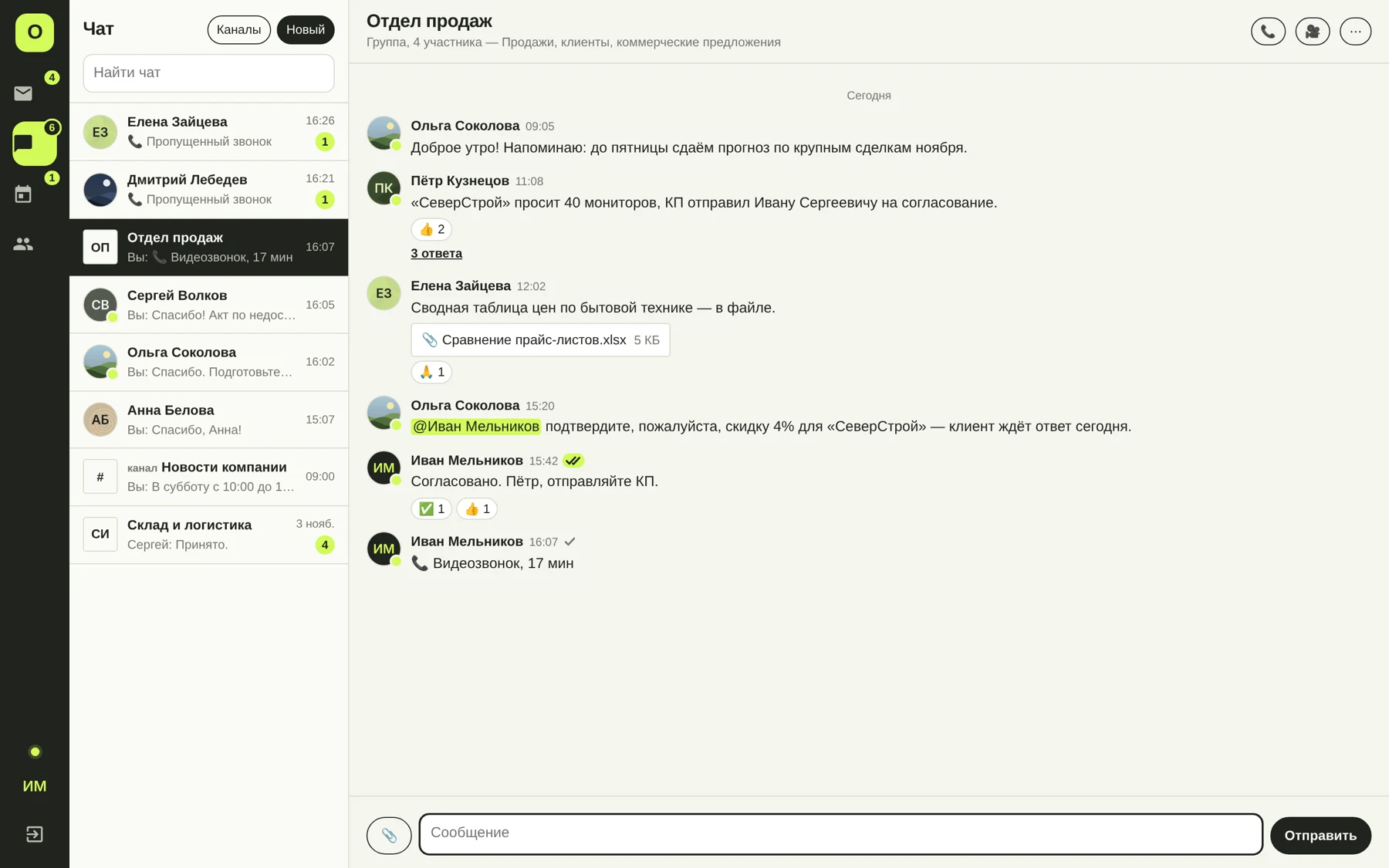
Calendars, invitations and recurring meetings. Check colleagues’ availability, book meeting rooms and join a video call from a calendar event.
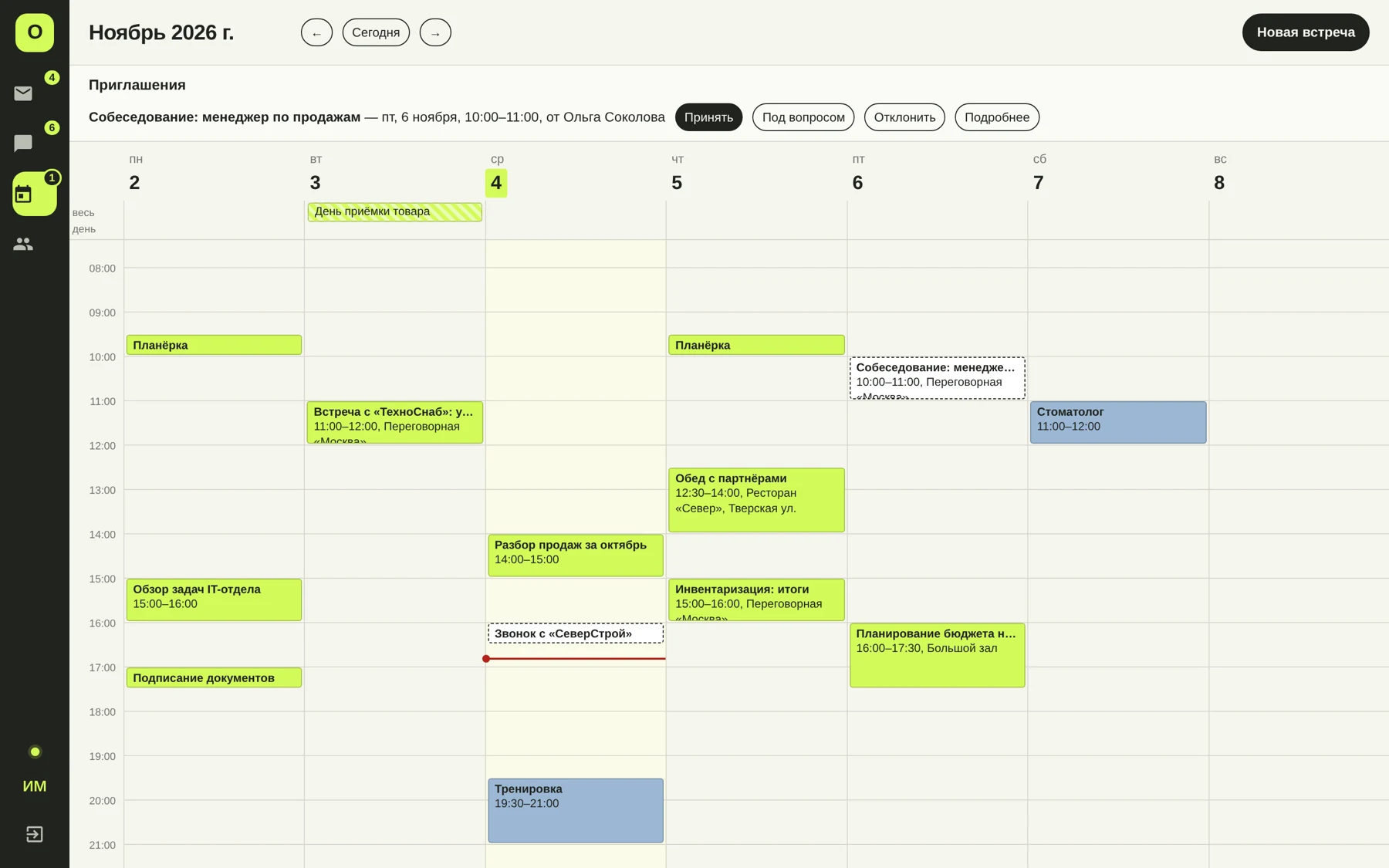
Email threads, search, folders, attachments, rules and automatic replies. Access through a browser or email clients using IMAP/SMTP.
Work with colleagues in info@ or sales@. Each employee uses their own account. Members of the shared mailbox can see incoming messages and replies, including which colleague replied to the customer.
Audio, video and screen sharing. Start calls from chat, the staff directory or a calendar event. Up to 5 participants in the current version.
Your team’s files.
Your company in control.
Personal files and shared department folders stay on your server. Give colleagues access, send links to partners and restore earlier document versions.
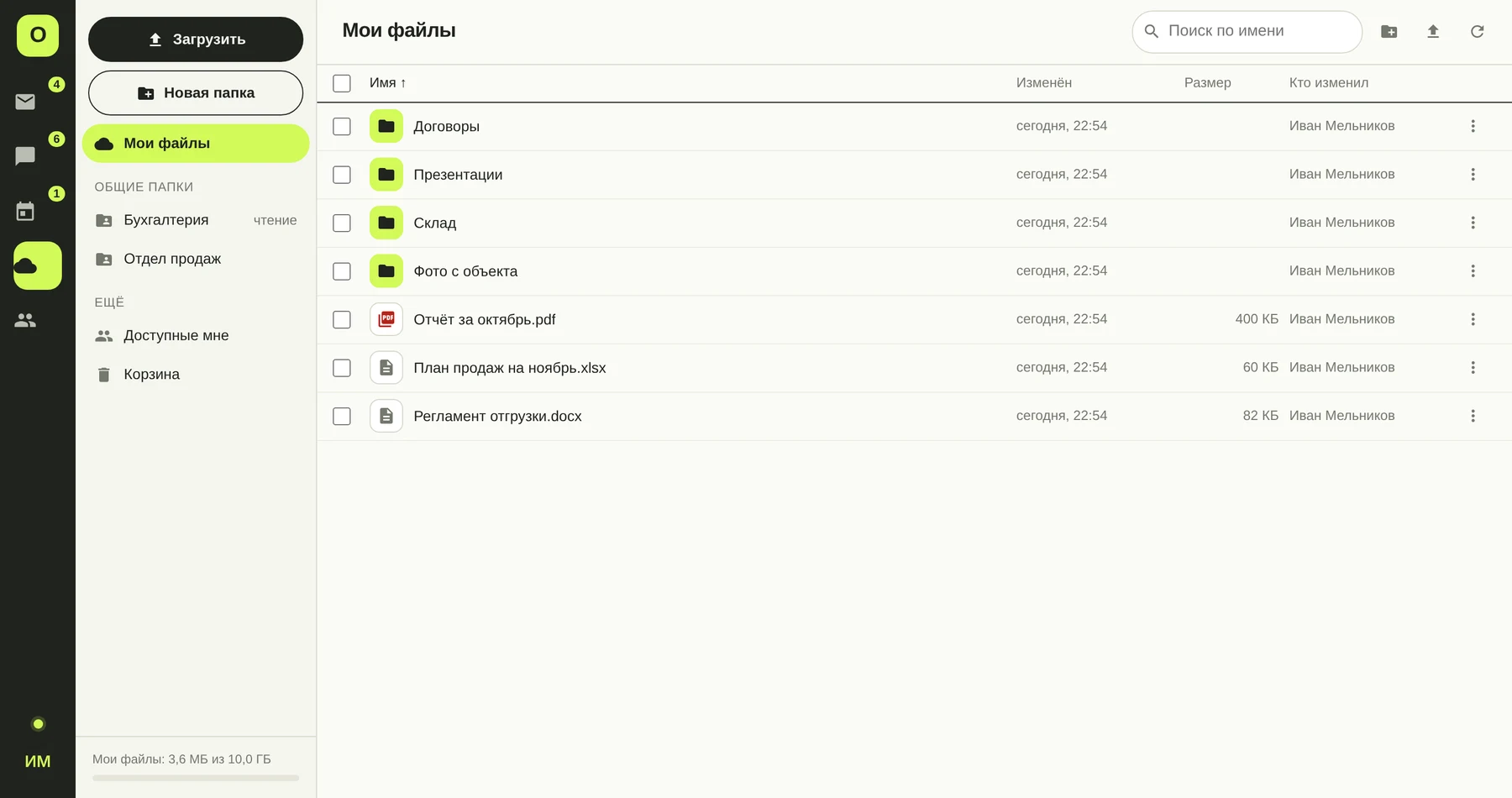
Shared folders and permissions
Assign view or edit access to employees or Active Directory groups. Manage storage quotas for users.
Links you control
Set a password, expiry date and download limit for external links. Revoke a link when access is no longer needed.
Versions and recycle bin
Restore earlier file versions. Deleted documents remain in the recycle bin for the configured period, 30 days by default.
Your server.
Your rules.
Familiar Windows.
OmniMailing runs as a Windows service. The web interface and administration panel are included. No separate database server is required.
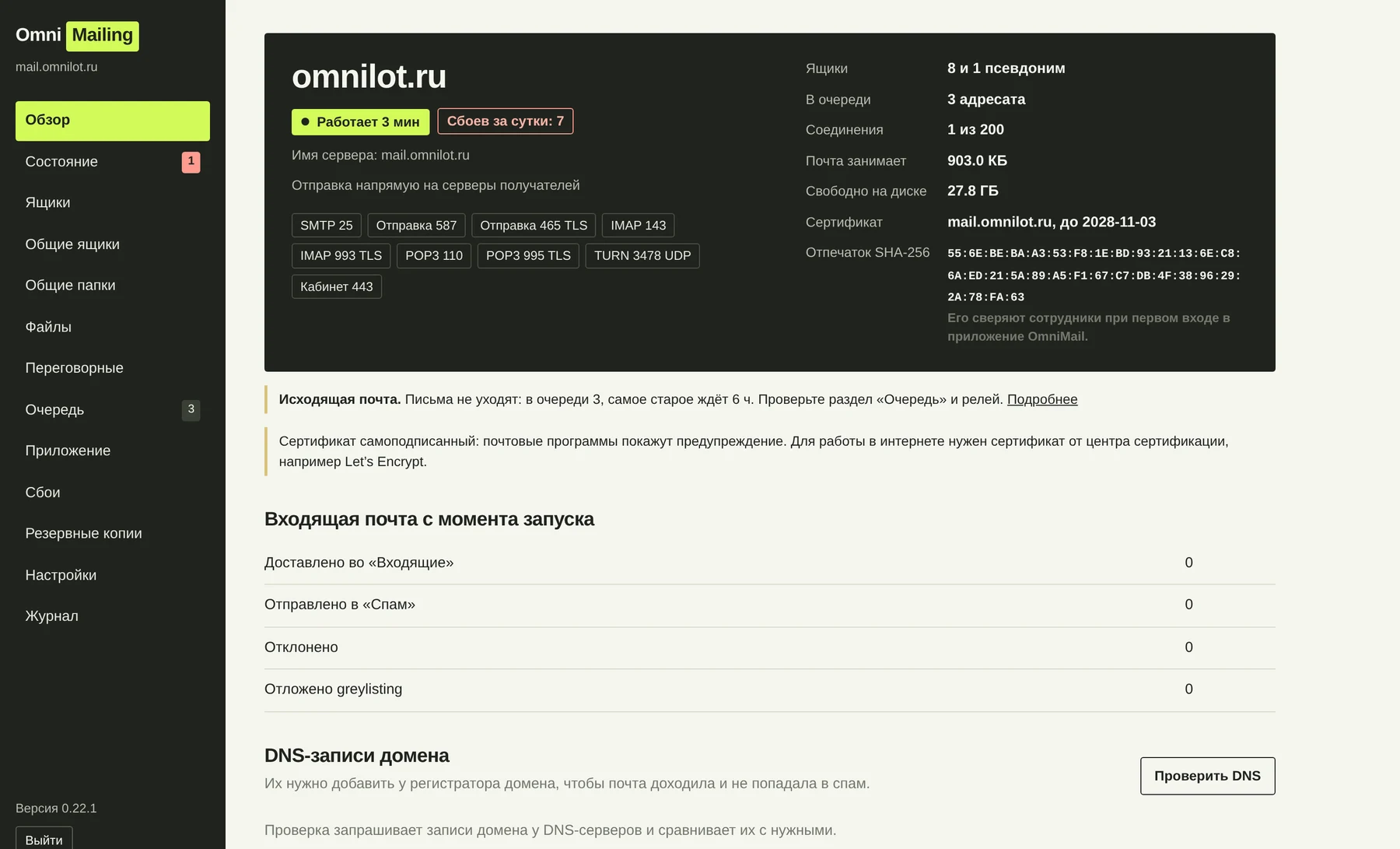
Your workspace,
wherever you work.
Choose how you connect. Email and work data stay in your system.
Open your browser.
Email, files, chat, calendar and calls in a web interface. It adapts to mobile screens and can be installed as a PWA.
Work from File Explorer.
OmniMail for Windows 10/11 opens your workspace in a dedicated window and adds an OmniMail folder to File Explorer. Two-way sync, files on demand and selected files kept on your device.
Your team within reach.
OmniMail for Android 8.0 and later: email, files, chat, calendar and calls. Upload from the camera or other apps, manage sharing links and keep files on your phone.
Connect your email client.
Email over IMAP/SMTP. Calendars and contacts are available in clients that support CalDAV/CardDAV.
Keep working offline.
Saved emails with attachments, chats and calendars remain available offline. Search downloaded data and draft emails, messages and meetings. Changes are sent to the server when the connection returns.
Your whole team.
On your phone.
Email, conversations, meetings and documents in one app. Connect to your company system from a smartphone running Android 8.0 or later.
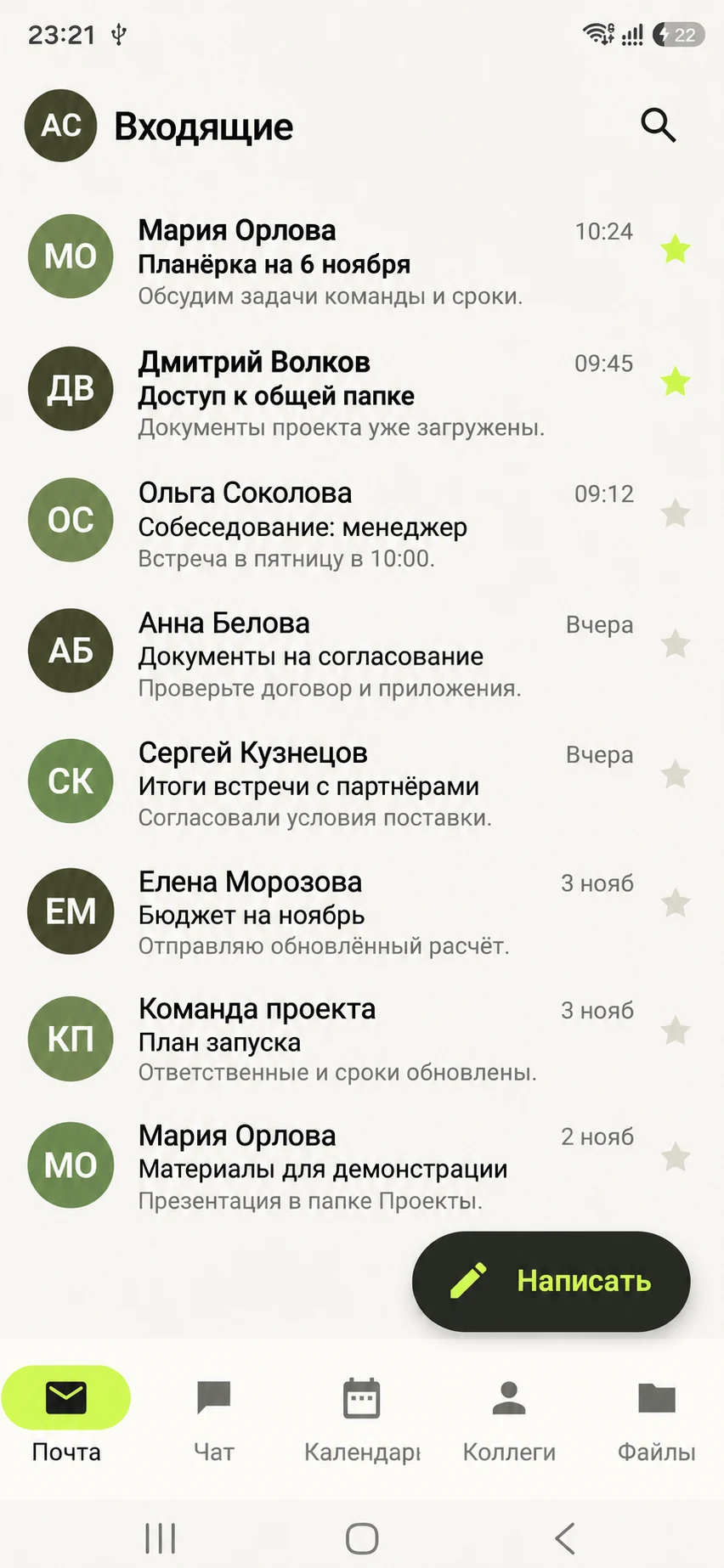
Work email
Read email and reply to colleagues from your phone. Keep conversations and attachments close at hand.
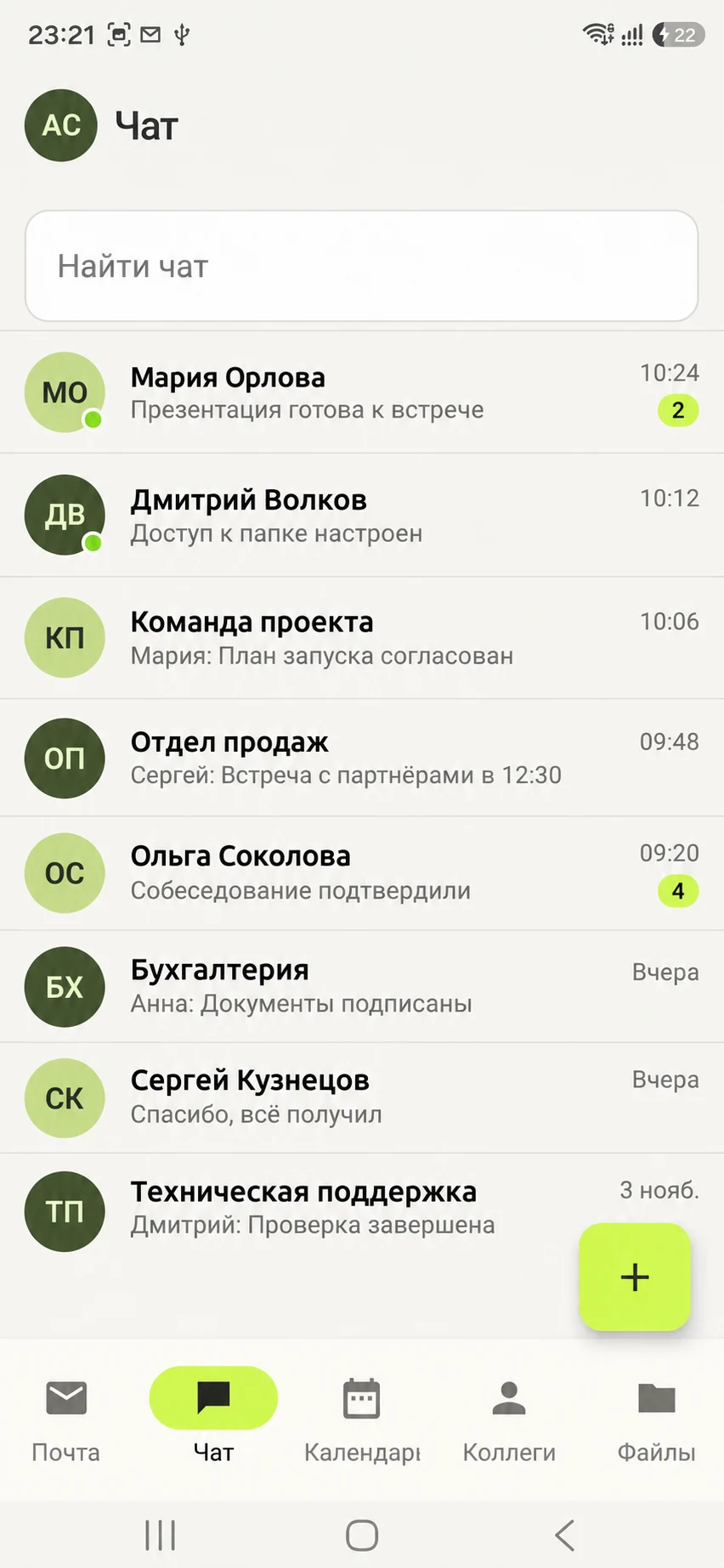
Private and group chats
Discuss tasks with colleagues and teams in your company chat.
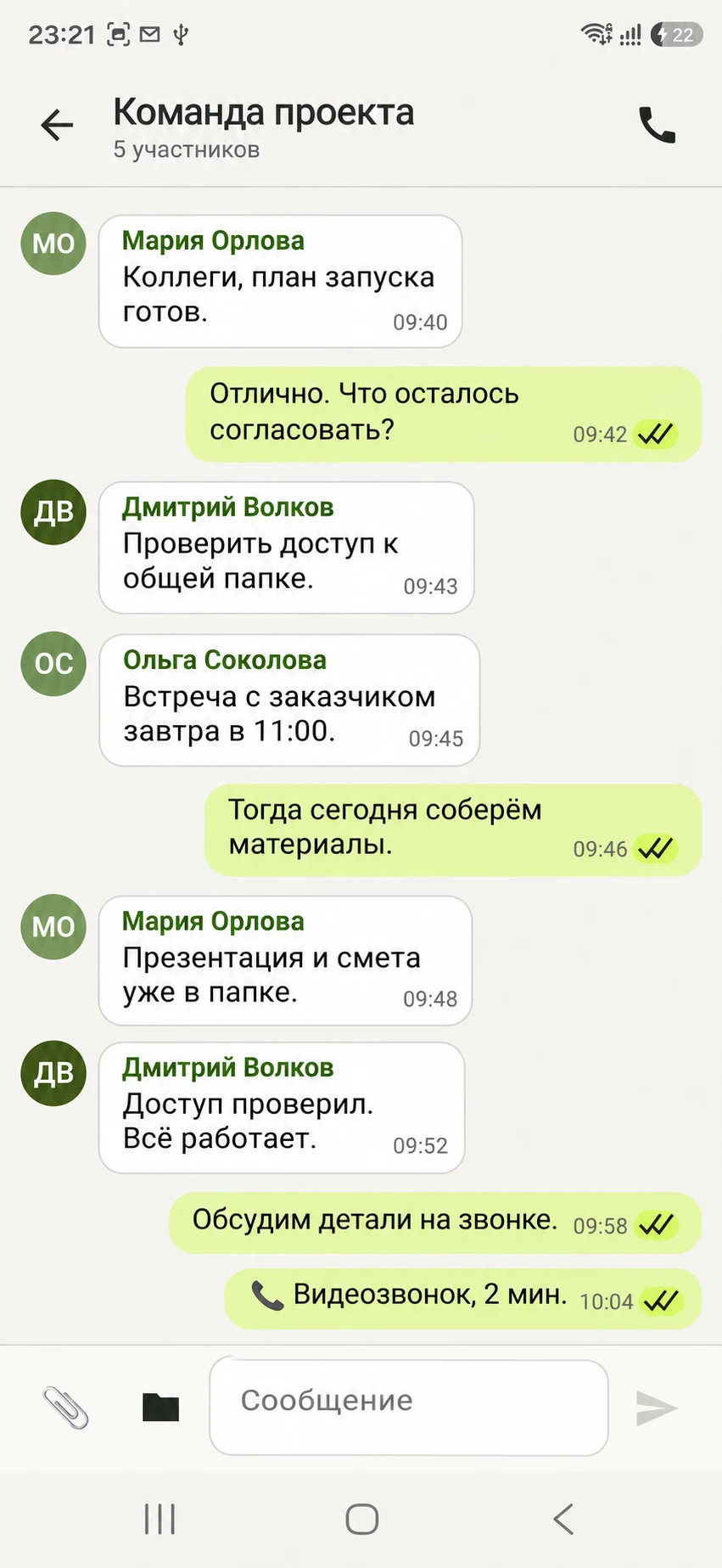
From chat to a call
Start calls directly from a chat. Video meetings support up to five participants.
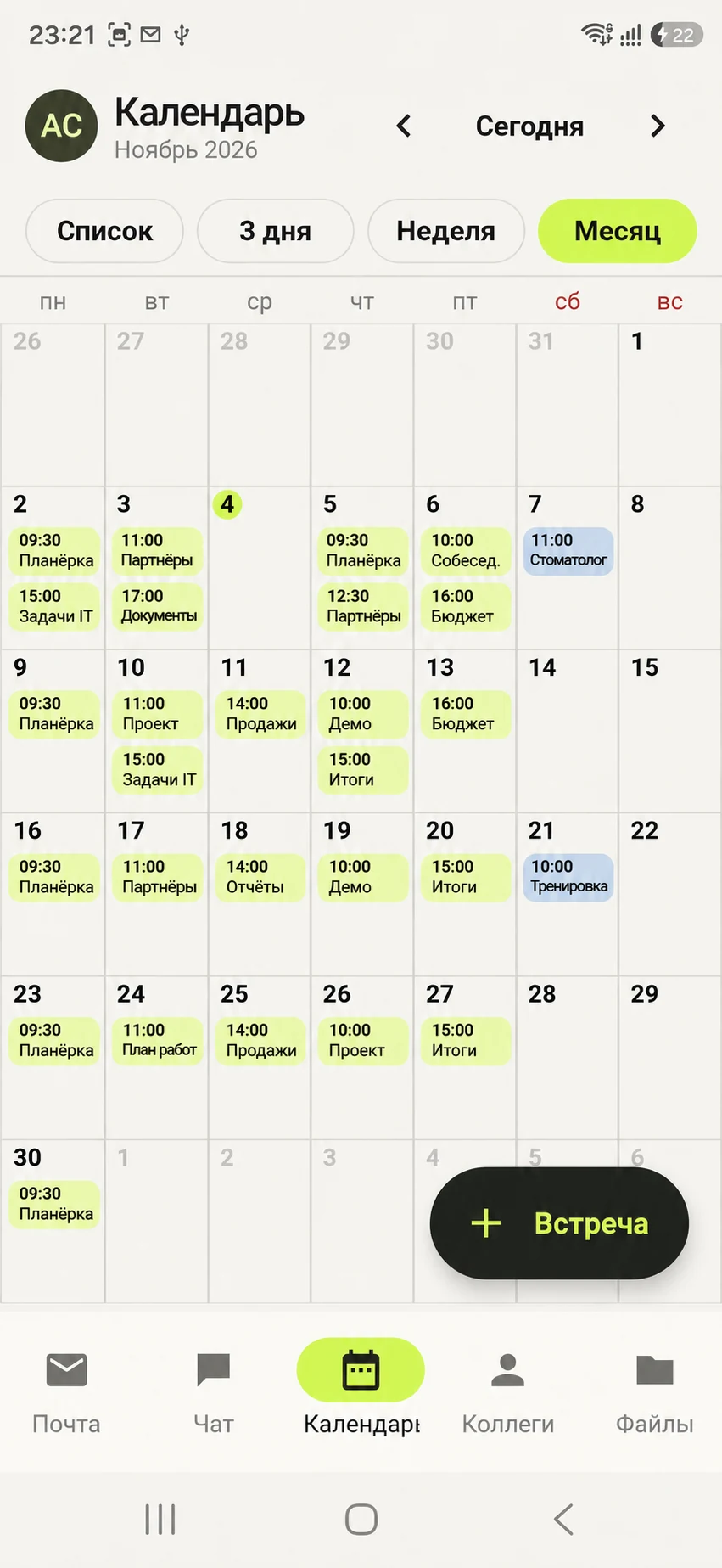
Meeting calendar
Plan meetings and check your work schedule in the mobile app.
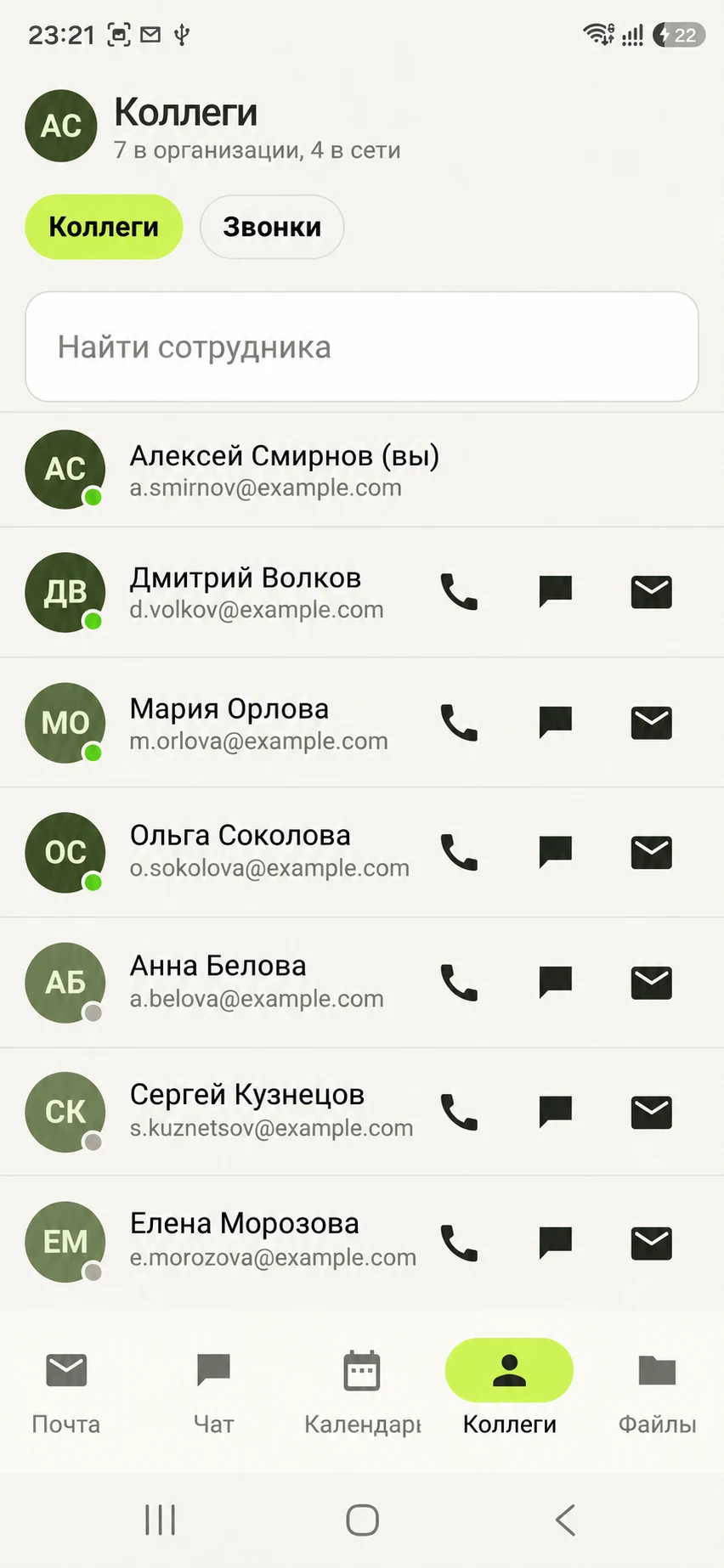
Find your colleagues
Find people in the company directory, send them a message or call them from the app.
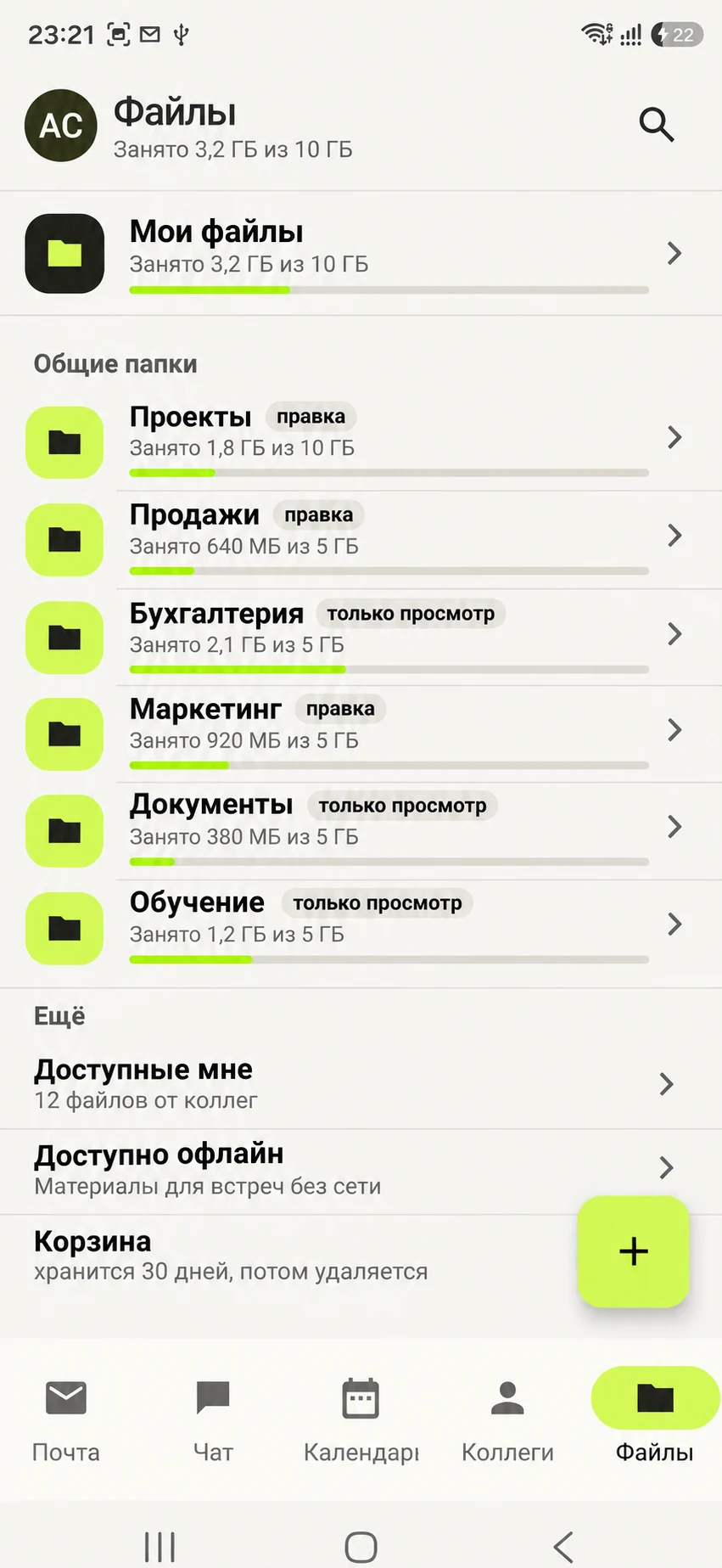
Files on the go
Open personal and shared folders. Upload documents and save the files you need for offline access.
Screens show fictional people and demo data. Select an image to view it full size. Swipe sideways through the gallery on your phone.
Scheduled backups.
Server health in view.
Configure backups and alerts in the administration panel. The server reports problems and keeps a history of checks.
Back up without interrupting work.
Daily backups to another disk, a NAS or a network share. Email, files, chats, calendars, settings and keys are included. Each destination has its own schedule and retention policy, with a full integrity check every week.
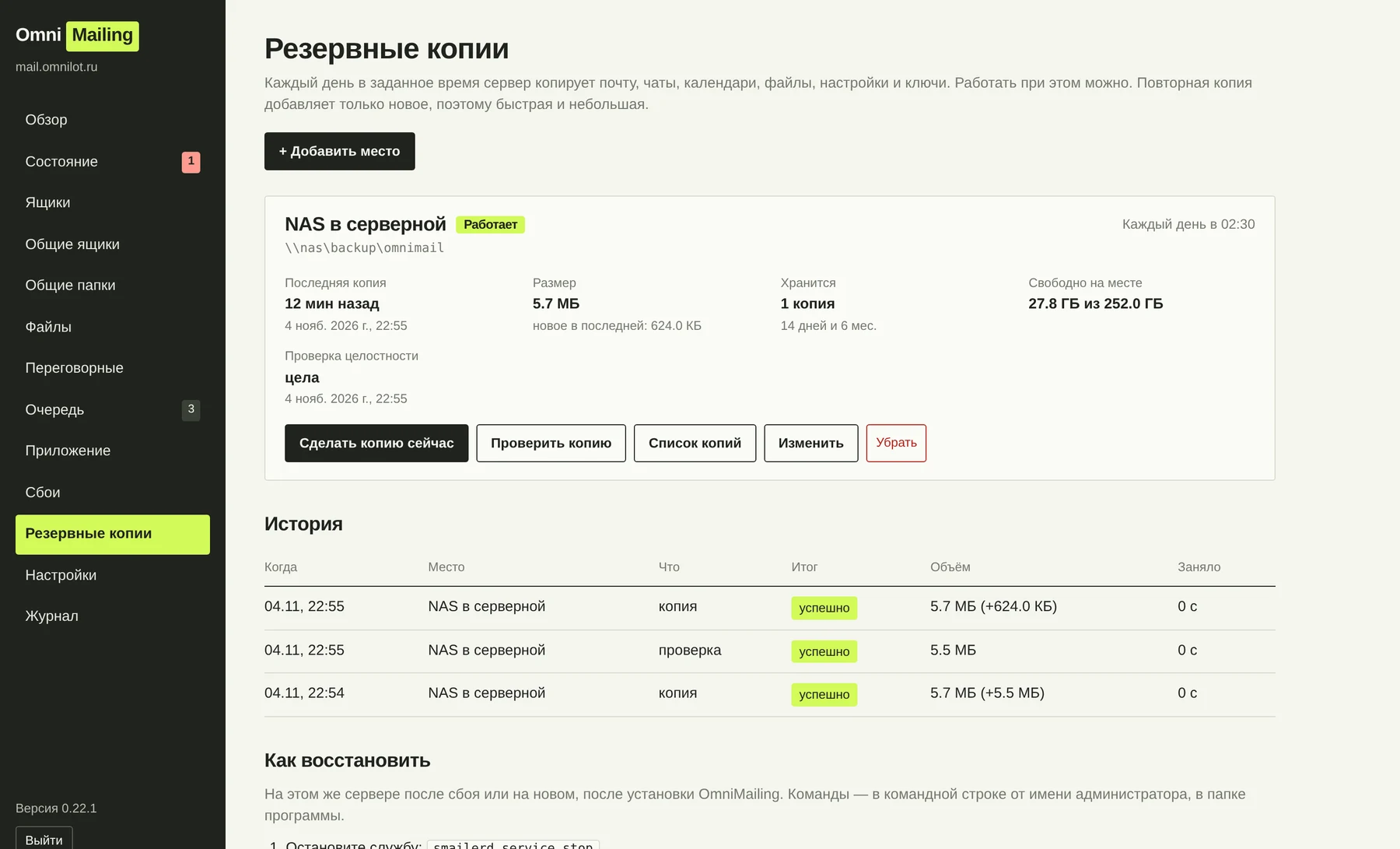
The server reports problems.
Disk space, backups, the mail queue, certificates and database health are checked every 5 minutes. Selected administrators receive email and chat alerts, followed by a resolution notice when the issue is fixed.
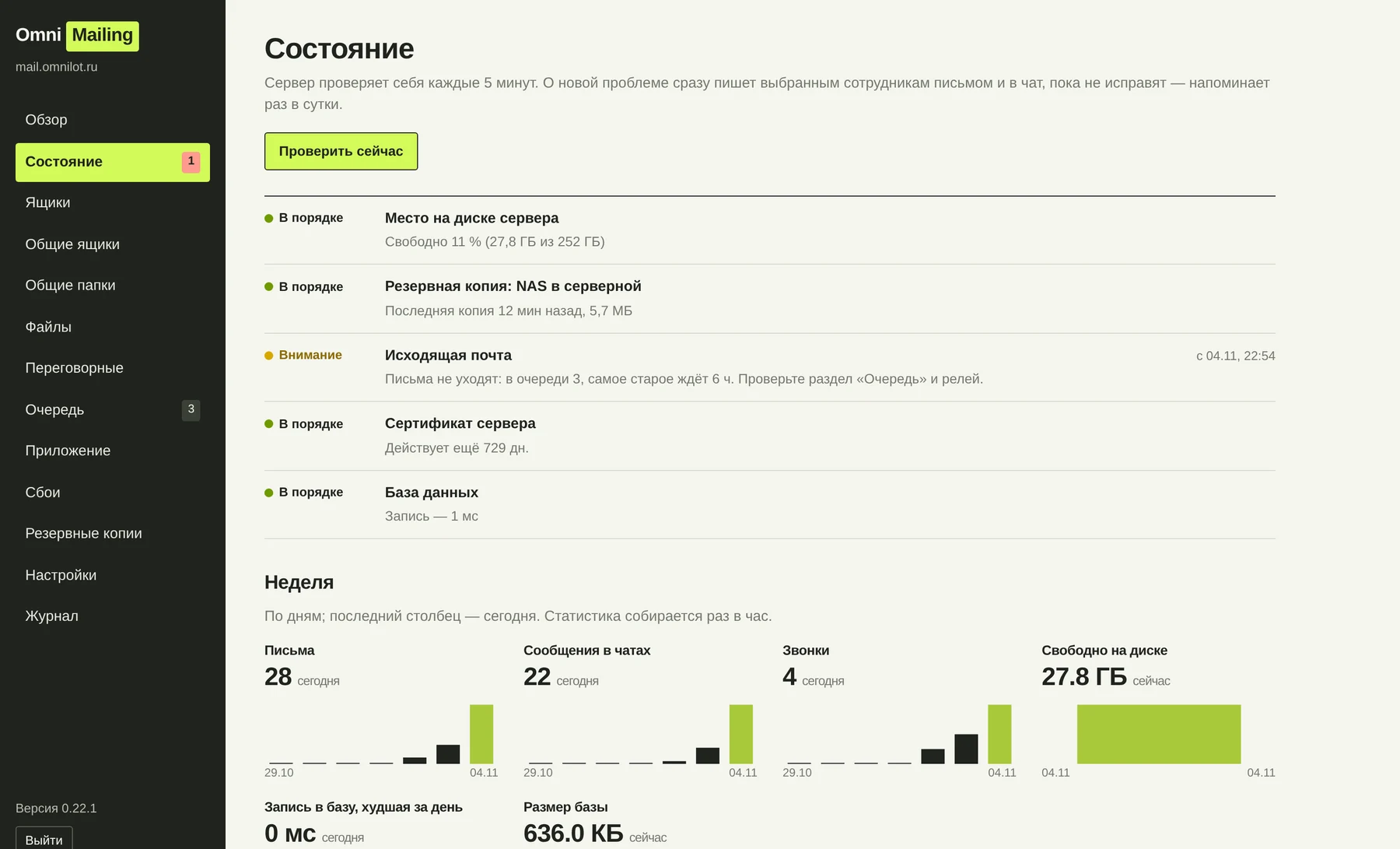
The panel also shows application crash reports and employees’ OmniMail versions. Reports are sent to your company’s server.
Buy a licence.
Keep using it.
Licensed per server for a chosen number of users. No mandatory annual fee to keep using the version you purchased.
- First year includedUpdates and technical support are included in the licence price for the first year.
- Renewal is your choiceFrom the second year, updates and support are purchased separately.
- The system keeps workingYou retain the right to use the version you purchased without renewal.
Questions
worth asking
before you start.
Which Microsoft Exchange workloads does OmniMailing cover?
OmniMailing provides business email, shared mailboxes, employee calendars, meeting invitations and room booking. Active Directory integration enables sign-in with Windows accounts. The system also includes employee files, shared folders, team chat and video calls.
How many users and domains are supported?
OmniMailing serves one email domain. The purchased licence determines the number of users. To size the server, tell us the number of employees, email volume and expected workload.
What is required for installation?
64-bit Windows 10 / Windows Server 2016 or later. Internet email requires a domain, DNS records, a certificate and network access. The installer creates the Windows service and sets the basic parameters. An administrator configures DNS and network access.
How are backups handled?
OmniMailing runs scheduled backups to a disk, NAS or network share. Server data and settings are copied without interrupting work. It supports multiple destinations, retention policies, integrity checks and recovery using the smailerd restore command.
Pricing and trial
RUB 150,000 per server + RUB 500 per user. Perpetual licence with first-year updates and support. A 30-day trial on your server.
Explore your use case.
See how it fits
your company.
Explore email, files, calendars and team communication. Discuss your infrastructure and the move to OmniMailing.
You can also email us:
info@melsoftware.ru ↗Enter your work email. The other fields help us prepare your demo.